Getting Started
This guide walks you through creating a novel from scratch as an individual user. By the end, you will be familiar with modular writing, the dual-mode AI assistant, and worldbuilding management — the key tools for AI-assisted novel creation.
Download and Install Qritor
- Visit the download page to get the installer for your operating system.
- Double-click the installer to complete installation.
- Launch the Qritor desktop client.
For detailed system requirements and installation instructions, see the Download & Install Guide.
Sign In
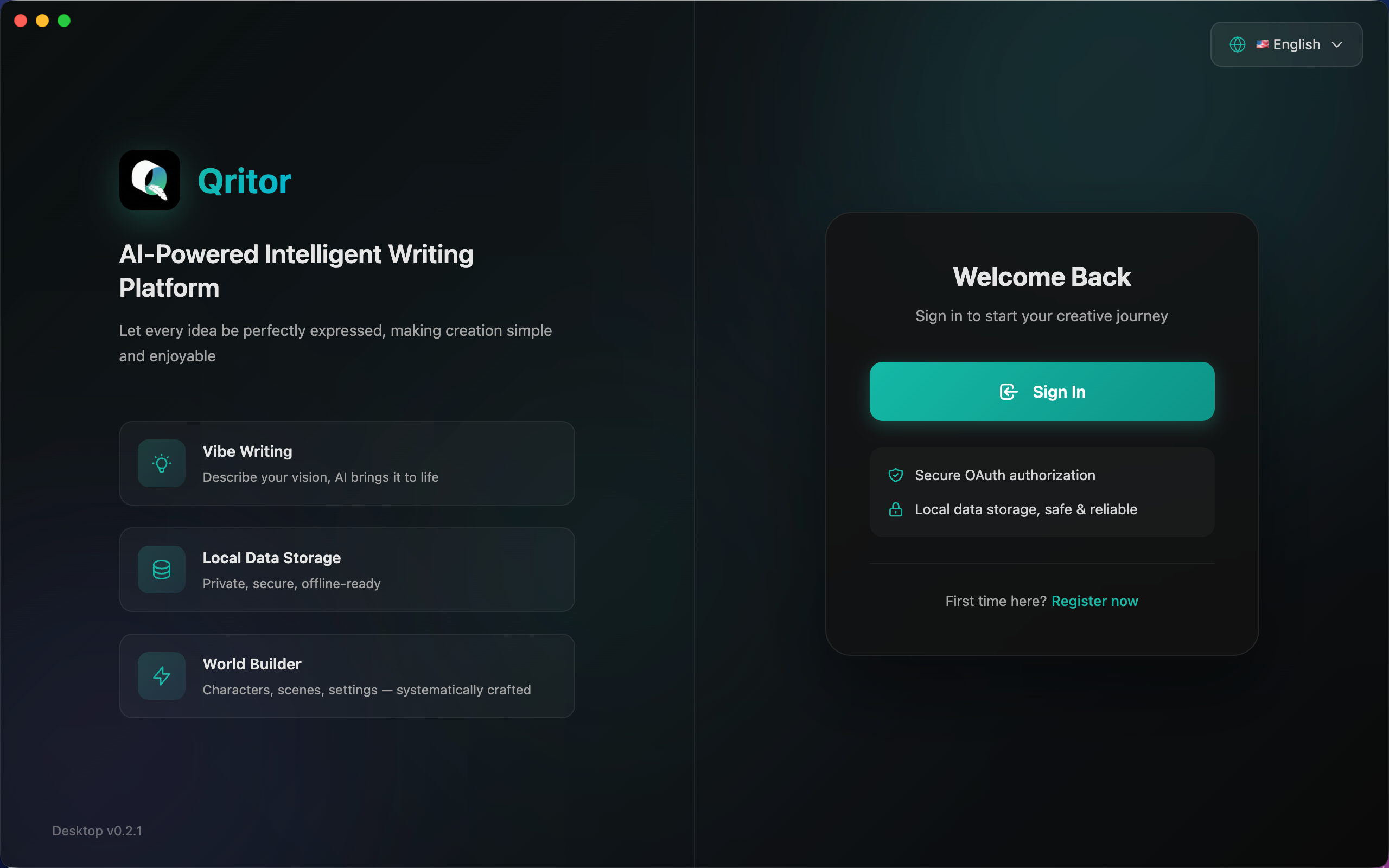
- After launching the Qritor desktop client, a login card will appear on the right side of the home screen.
- Click the "Sign In" button to log in or register via OAuth (first-time users can click "Register now" at the bottom to create an account).
- Once signed in, the app will automatically redirect to the novels workspace. All creative data is stored locally.
Browse Novel Creation Methods
Click "Novel Creation Methods" in the sidebar to enter the creation methods page.
- Novel creation methods are organized by genre (time travel, post-apocalyptic, supernatural, etc.), each with predefined module types and structure for that genre.
- Search or browse all available methods to learn which one fits your story.
- Click the "Sync" button to fetch the latest novel creation methods from the cloud.
Create a Novel
- Click "Novels" in the sidebar to return to the works list, then click "New Novel" at the top right.
- Enter a Novel Name, select a Novel Creation Method from the dropdown (this determines which module types your work will have, e.g., character sheets, scenes, props), and optionally add a description.
No name ideas? Just enter anything for now — you can ask the AI assistant to suggest a better title later.
- Click create. The system will automatically generate an initial module structure based on the selected method.
Explore the Editor Interface
Click a novel card to enter the editor. You will see a three-column layout:
- Left: Module Tree — Manage all modules by category, including chapters, characters, scenes, organizations, props, and settings.
- Center: Workspace — Contains three tabs: Editor (text editing or module forms), Relation Graph (entity relationship network), and Plot Management (storylines and events).
- Right: AI Assistant — Enabled by default. Supports Agent mode (can create/modify/delete modules and more) and Ask mode (conversation only).
Initialize Your Novel
After creating a novel, type /novel-initialization in the AI Assistant to start the setting initialization process.
The AI will automatically read your chosen creation method and novel information, iterate through all setting modules (worldview, power system, story hooks, etc.), load specialized generation skills for each module, and fill in structured content. The entire process requires no manual input — each module is presented via a confirmation dialog for your review.
Once complete, you will have a full worldbuilding foundation to further refine and customize.
Recommended Creation Workflow
After setting initialization, we recommend progressing in the following order. Each phase builds on the output of the previous one, ensuring the AI has the fullest context at every step:
| Phase | AI Command Example | Description |
|---|---|---|
| ① Entity Libraries | /character-initialization, /scene-initialization, etc. | Generate characters, scenes, organizations, and props based on your settings |
| ② Storyline Design | "Design main and branch storylines" | Plan storyline structure, arrange plot events, plant foreshadowing |
| ③ Chapter Outlines | "Plan outlines for the first 10 chapters" | Distribute plot events into specific chapters based on storylines |
| ④ Prose Writing | "Write chapter 1" | Generate chapter prose based on outlines and context |
Why this order?
- Entity libraries (characters, scenes, etc.) depend on world settings but not on plot. Building them first lets you reference specific characters and scenes when designing storylines
- Storyline design needs to know which characters and scenes are available to arrange reasonable plot events
- Chapter outlines are essentially "assigning storyline events to specific chapters" — they need storyline data first
- Prose writing depends on chapter outlines and preceding chapter content
Of course, creation is not a strictly linear process. You can always go back to a previous phase — for example, if you realize you need a new character while writing a chapter, just create one. The order above is a best practice for starting from scratch.
Human-AI Collaborative Writing
The AI Assistant on the right is your full-cycle creative partner. It supports Agent mode (can directly manipulate modules and content) and Ask mode (conversation only), covering everything from worldbuilding to prose writing.
Worldbuilding
Using natural language commands, the AI can create and refine characters, scenes, organizations, props, and other modules. For example, type "Create a morally ambiguous sword cultivator character" and the AI will generate structured content based on the module Schema for your confirmation. You can also ask the AI to modify existing module attributes at any time.
Chapter Writing
Select a chapter node to enter the text editor. Write directly or let the AI assist:
- AI Continue: The AI generates paragraphs or entire chapters based on outlines, participating entities, and context, streaming in real-time for your confirmation.
- AI Polish: Select text and let the AI refine the wording and expression.
- AI Modify: The AI locates specific passages for replacement or insertion, with a diff preview in the editor for your review.
Information Extraction & Maintenance
After writing a chapter, use the editor toolbar's automated tools to let the AI continuously maintain your novel's structured data:
- Extract Entities: Automatically identify characters, scenes, and props that appear in the chapter, updating the participating entities list.
- Extract Relations: Analyze character interactions in the text, automatically creating or updating relationship nodes in the relation graph.
- Extract Dynamic Info: Capture character state changes within the chapter (emotions, injuries, power-ups, etc.), updating dynamic profiles.
- Plot Organization: Organize plot events from the chapter, updating storylines and plot progression.
Quality Assessment
- Quality Check: The AI evaluates chapter writing quality across multiple dimensions and provides improvement suggestions.
- Style Check: Detects writing style consistency and flags passages that deviate from the overall tone.
- Plot Analysis: Analyzes plot structure for logical soundness and identifies potential plot holes.
Foreshadowing Management
The AI can help you plant and track foreshadowing. Ask anytime — "What unresolved foreshadowing is there?" — and the AI will answer based on the full text, ensuring no narrative threads are lost.