Skills
Skills are reusable AI knowledge modules in Qritor that give the AI assistant specialized capabilities for specific creative tasks.
What Are Skills
A skill is a pre-built set of AI instructions containing the workflow, rules, and domain knowledge for a specific creative task. Once loaded, the AI assistant follows the steps defined in the skill to execute the task without requiring step-by-step guidance from you.
For example, loading the /novel-initialization skill causes the AI to automatically iterate through all setting modules, load specialized generation skills for each, and fill in structured content — the entire flow is orchestrated by the skill, and you only need to review and confirm.
How It Works
The skill system operates in three phases:
- Registration: On startup, all available skill names and descriptions are loaded from the local database and injected into the AI assistant's system prompt.
- Matching: When your request matches a skill's description, the AI automatically invokes it. You can also trigger skills manually via
/skill-name. - Execution: The AI retrieves the skill's full instructions and follows the defined workflow, calling tools and generating content.
Where Skills Come From
Skills are maintained by the Qritor team and stored in the cloud. The desktop client automatically syncs the latest skills on login. You can manually update by clicking the "Sync" button on the "Novel Creation Methods" page in the sidebar.
Skills are organized by scope:
| Scope | Description | Status |
|---|---|---|
| Global Skills | Available for all projects (e.g., chapter operations, character operations, plot design) | Available |
| Method-Specific Skills | Bound to a specific creation method (e.g., "Ancient Crossing"). Only available in novels using that method | Available |
| Project-Level Skills | Bound to a single novel project, customized for that project's specific needs | Coming Soon |
How to Use
Manual Trigger
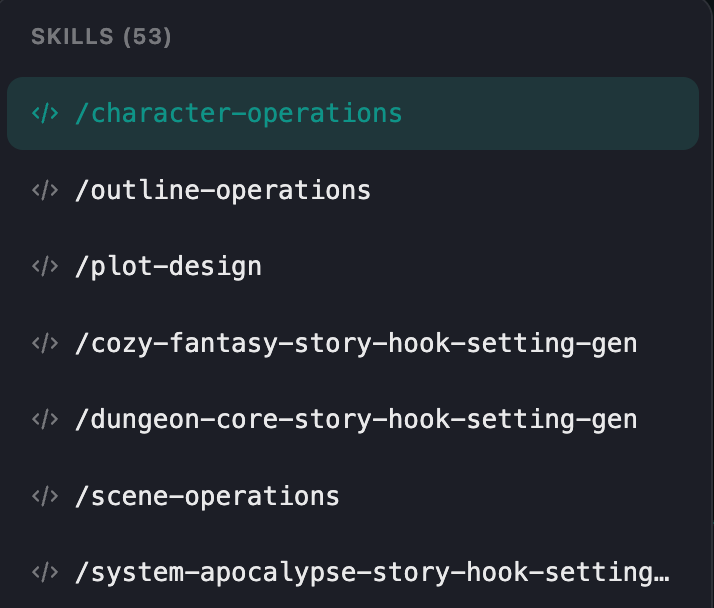
Type / followed by the skill name in the AI assistant input box. A skill selector dropdown appears after typing /, with fuzzy search support.
Examples:
/novel-initialization— Batch-initialize all setting modules/character-operations Create a morally ambiguous sword cultivator— Load the character operations skill with your instruction
Automatic Trigger
The AI assistant's system prompt includes all available skill names and descriptions. When your request matches a skill, the AI automatically loads it via the use_skill tool — no slash command needed.
View Available Skills
Type / to see the dropdown list of all skills available for the current project. The list includes both global skills and method-specific skills.
Global Operation Skills
The following skills are globally available for all projects:
| Skill | Description |
|---|---|
chapter-operations | Chapter creation, continuation, modification, deletion |
character-operations | Character creation, editing, batch management |
scene-operations | Scene creation, editing, hierarchy management |
prop-operations | Prop creation, editing, management |
organization-operations | Organization creation, editing, member management |
outline-operations | Outline writing and management |
plot-design | Plot structure design and event planning |
relationship-graph | Relationship graph maintenance and analysis |
consistency-audit | Full-text consistency review |
Skills and Agent Mode
Skills run in Agent mode. Once a skill is loaded, the AI assistant can call all available tools (create modules, modify content, search chapters, etc.) to complete the tasks defined in the skill instructions.
In Ask mode, skills serve only as knowledge references — the AI will not execute any operations.
FAQ
What if a skill doesn't trigger?
Make sure you're in Agent mode and check the skill name spelling. For manual triggers, the/skill-name must be at the beginning of your message.