Novel Settings
Establish the worldbuilding foundations of your work — cultivation systems, story backgrounds, core settings, and more. AI automatically references them during creation.
What Are Novel Settings
Before starting to write, most long-form novels need to establish the foundational rules of their world — how the power system works, what kind of world the story takes place in, what the core conflicts are, and so on. These elements aren't part of the main text, but they directly determine the direction of the entire story.
Settings in Qritor are designed to manage exactly this kind of content. Each setting is a structured form with fields predefined by the Creation Method — you just need to fill them in.
How Settings Relate to Creation Methods
The types of settings available for your novel are determined by the Creation Method you choose. Different genre methods come with different preset setting modules:
- Xianxia genre might include: Cultivation System, Sect System, Laws of Heaven and Earth
- Sci-fi genre might include: Tech Tree, Interstellar Politics, Species Settings
- Mystery genre might include: Story Hook, Core Mystery, Clue Chain
When you create a novel, the system automatically creates a module for each singleton setting — you can start filling them in right away without manual creation.
Where to Find Settings
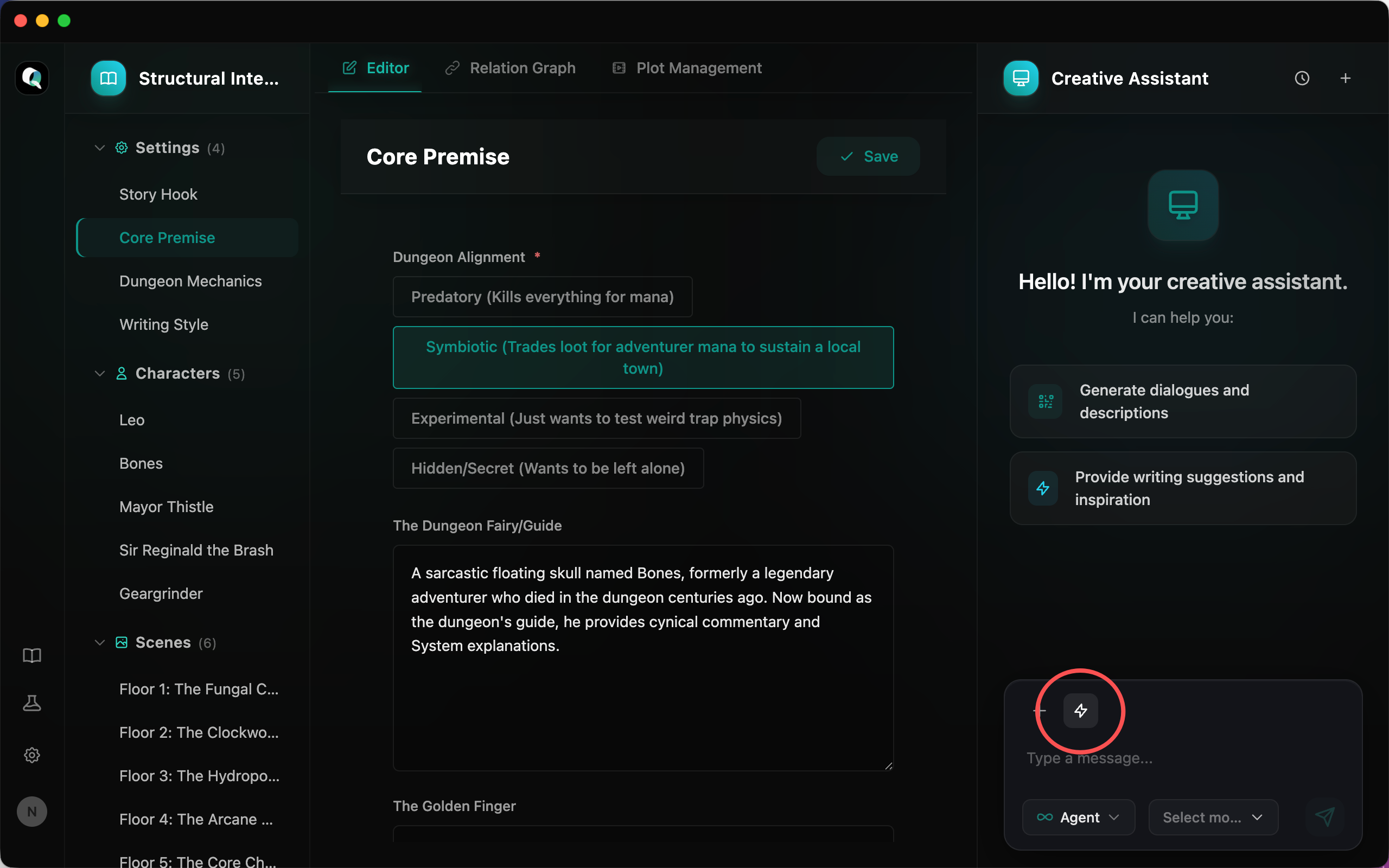
After entering the novel editor, in the left-side module tree, the "Settings" group is always at the very top. Click to expand it and see all settings for your current novel.
Editing Settings
Click a setting item, and the editing panel on the right will display its form. Different setting types have different fields. Common field types include:
- Text fields: Such as story background overview, core conflict description
- Long text fields: Such as detailed system explanations, world rules
- Array fields: Such as multiple power levels, multiple core laws
- Nested structures: Such as each level containing name, description, and characteristics sub-fields
Click save after filling in, and the content is immediately persisted to the local database.
Adding Settings
If the Creation Method includes non-singleton setting types, you can manually add more:
- Next to the "Settings" group on the left, click the "+" button
- Select the setting type to create
- Enter a setting title
- Fill in the form content and save
How Settings Help AI Creation
This is the most important value of settings — every setting you fill in is automatically referenced by AI during creation:
- When AI continues writing chapters, it reads settings as background knowledge to ensure the plot follows worldbuilding rules
- When AI generates characters, it references settings to design appropriate attributes (e.g., xianxia characters will have "cultivation level" instead of "tech rank")
- When AI plans plot, it uses the core conflicts and story hooks from settings to drive the narrative
The more complete your settings, the more closely AI output will match your vision for the work. Even if you haven't figured out every detail yet, we recommend writing a rough framework first — you can always come back to supplement and modify later.
AI-Assisted Filling
You can also have AI help you fill in settings. There are several ways:
Generate a Single Setting
Select a setting item in the left module tree, then click the "AI Generate" button in the AI assistant. AI will automatically generate content for the current setting based on the Creation Method and existing context.
Batch Initialize with Skills
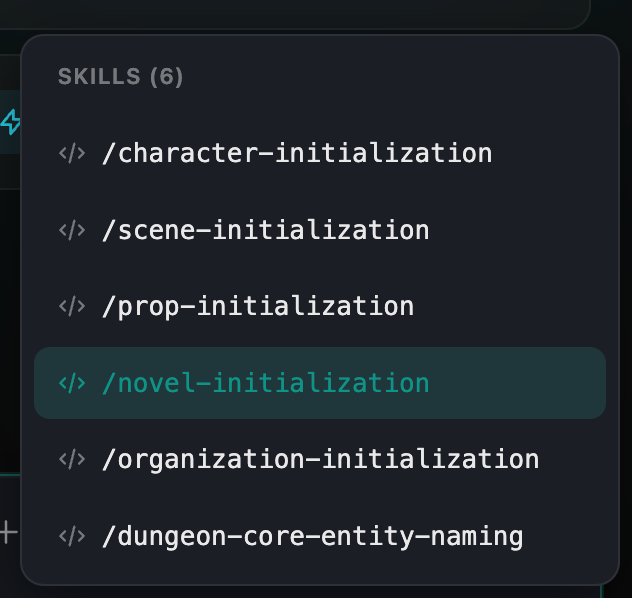
Type / in the AI assistant to bring up the skills list, then select an initialization skill like /novel-initialization to generate content for all settings at once. Different Creation Methods provide different initialization skills.
Natural Language Description
You can also tell AI what you need directly in natural language, or use @mention to reference existing settings and let AI expand from there. For example: "Help me design a cultivation system with nine major realms."
Tips
- Fill in settings right after creating your novel: Settings are the foundation for AI to understand your work — the earlier and more complete they are, the better AI-assisted creation will be
- No need to write everything at once: Settings can be modified anytime; enrich them gradually as your writing deepens
- Leverage Creation Method presets: The Creation Method has already designed the most essential setting fields for your genre — just follow the form prompts